
No products in the results
Use Clear filters to reset search, price, recorded size, QC status and sorting within the current collection. Or set size to All recorded labels and QC to Any QC status. For the full directory, open All finds. Clear the search, set Item budget to Any price and open All finds. Try a shorter term such as “hoodie”. Search only covers this catalog, not every external seller.
If search or Save is unavailable, check that JavaScript is enabled. Category links and numbered pages still work without it.
The product link fails or shows another item
Return to the current directory and check the product name and photo. If the destination shows an unrelated item, stop using that link. If you started from an old CSV, the product may since have been removed.
A failed page alone does not tell us whether the listing moved, was withdrawn or needs an external login. This site cannot fix another service’s account or order.
CSV opens in one column
Use your spreadsheet app’s Import command and choose comma as the separator. For scrambled text, use UTF-8 if an encoding choice is offered, or try the Excel file.
Saved items have disappeared
Check that you are in the same browser and on the same site address. The local preview and hosted site keep separate lists. Clearing browser data, private browsing or blocked storage can also remove the list.
Products removed from the catalog are filtered out of Saved. There is no account backup here; use Export saved CSV to keep a copy.
Compare shows items, but Export saved CSV is disabled
Saved and Compare are different lists. Compare holds up to three items for a side-by-side view. Export saved CSV reads Saved only.
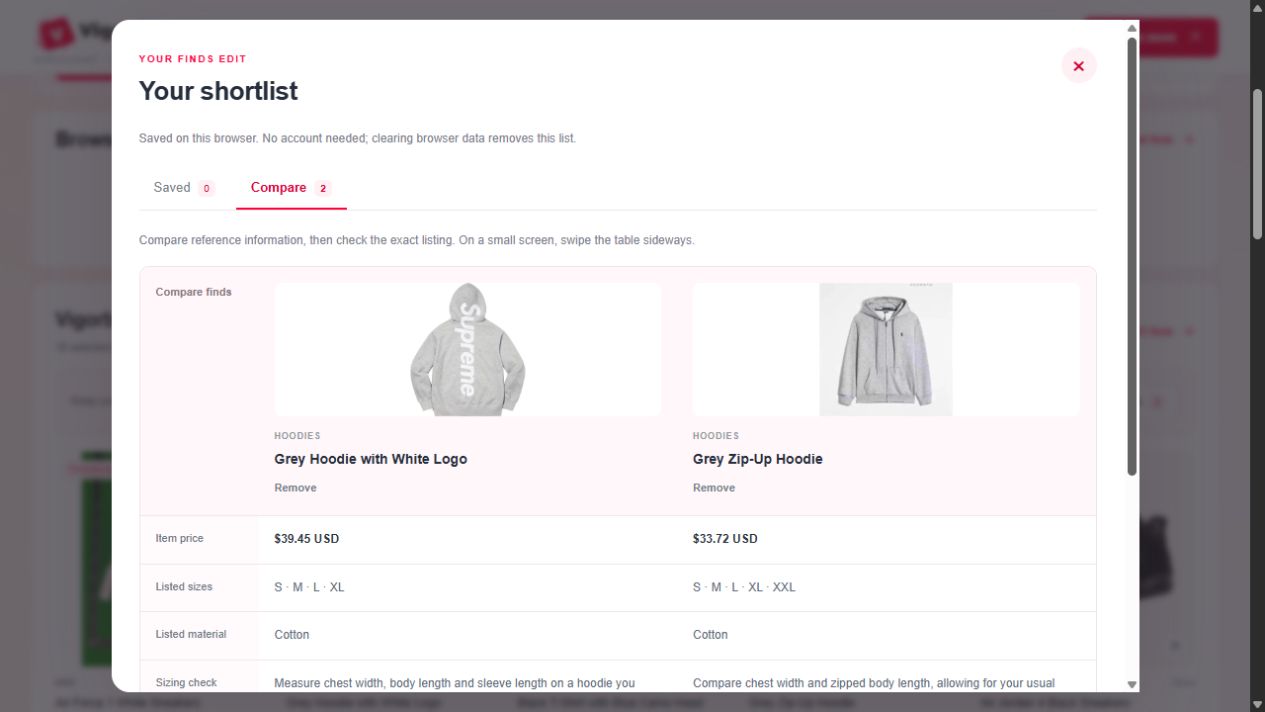
- Close the comparison panel and find the cards you want to export.
- Select Save on each card. Open Saved and confirm the intended items are there.
- Export saved CSV. The file contains that list, rather than every comparison candidate or current search result.
If Save works until a refresh but then disappears, browser storage may be blocked or unavailable. Export while the list is still present; repeatedly clicking Save does not create an account backup.
A quick way to separate filters from missing products
Start at All finds, clear the search, choose Any price and use the default order. The current unfiltered directory contains 183 finds, spread over numbered pages; the first page alone is not the whole catalog.
| Test | Expected result in this edition | What to check next |
|---|---|---|
| All finds, no search or budget | 183 total | If a category has fewer, return to All finds. Clear filters cannot expand a category into the full catalog. |
| Search hoodie | 41 matches across the directory | A hooded jacket also matches the text index. The Hoodies category itself contains 40. |
| Search hoodie, Under $15 | 9 matches below $15 | The cap uses the USD item price. It is not a delivered-cost filter. |
| CSV with products in one long column | Separate fields after comma-delimited import | Use the Excel import preview or Google Sheets import steps; do not split manually on every comma inside a product note. |
These checks use the current recorded catalog. Source USD estimates carry a ~ marker. They do not diagnose an external agent’s login, payment or order system.