
Start with the amount the card actually gives you
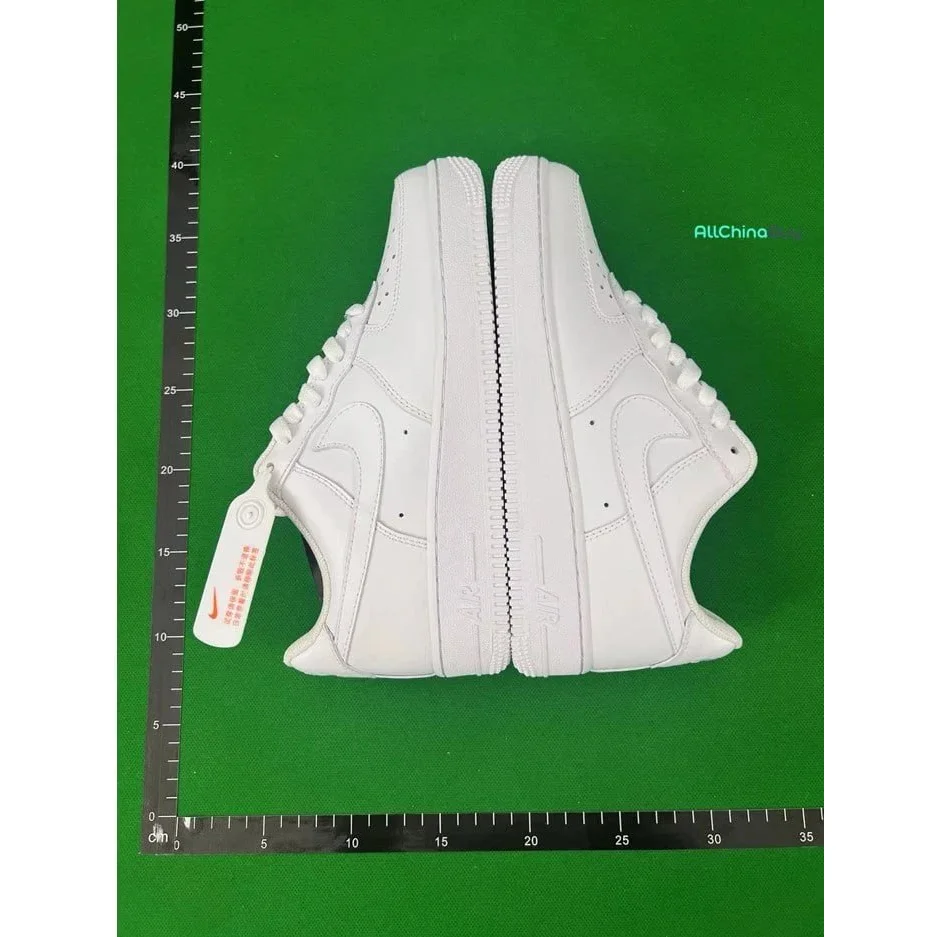
This is a recorded item price for one listing, not a delivered price. Before using it, match the colour, size, version, quantity and currency on the current listing. A different option or an old downloaded row can give you a different starting amount.
For a concrete subtotal from this directory, one $14.35 pair plus one $12.37 tee adds up to $26.72 in recorded item prices. No delivery, service or destination charge has been added to that number. It is arithmetic on two catalog records, not an order quote.
The under-$15 selection limits each item price. It does not promise that one item, or a bundle of items, can be delivered for $15.
Why some USD prices begin with ~
The ~ marker means the source supplied a USD estimate. It is useful for narrowing a shortlist, but it is not a confirmed payment amount. The current selected option may use another price or currency.
- Match the option, quantity and currency on the current listing.
- Record the actual item payment or dated quote before adding it to the worksheet.
- Keep estimated and confirmed amounts separate in your notes. If you enter an estimate here, the result is only your estimated scenario.
The worksheet checks whether you entered a number; it cannot verify a seller’s price. Its “confirmed” status refers to the line status you chose. Changing a currency symbol in Excel also does not convert an amount.
Read the short answer about estimated prices · Check prices in the downloaded file
Read a quote one charge at a time
Keep the quotation and its date beside your list. Ask whether it is an item-payment quote, a warehouse estimate or a quote for a packed parcel. Those stages can contain different information.
| Line | Question to resolve | What to keep |
|---|---|---|
| Item payment | Does this cover the exact option and quantity? Is domestic delivery included? | Selected option, quantity and item-payment breakdown. |
| Service charge | Is it separate, included, optional or tied to a particular action? | The actual amount and the service it covers. |
| International delivery | Is this for the actual packed parcel or a category estimate? Which route and destination? | Quote date, route, packed weight, dimensions and included surcharges. |
| Payment / conversion | Is the charge separate, or already reflected in the amount debited? | The payment total and currency, with the charge shown once. |
| Destination charges | Which charges, if any, are prepaid? What could remain payable on arrival? | The provider’s inclusion statement. An unanswered question stays unknown. |
“Not shown” and “free” are different. If a quote has no line for a charge, first establish whether it is included or still missing. Do not turn an omitted line into a zero just to complete the total.
Fill in your own quote
On a phone, swipe the table sideways to reach the status column.
Three ways a total gets counted twice
Delivery already inside the item payment
If the item-payment line already includes delivery to the warehouse, keep that full payment on the item line and mark domestic delivery “Included elsewhere”. Alternatively split the two amounts and count each once. Do not use the full payment and add the same delivery again.
A converted payment plus another exchange markup
Choose one accounting currency before adding figures. If your actual payment already reflects a conversion markup, copying the converted amount and adding that markup again overstates the cost. This worksheet uses USD only; convert another currency using the rate that applies to that quote or payment, and keep the original currency and rate in your notes.
A parcel price reused for each item
A combined parcel’s shipping is an order-level charge. Add it once to the order subtotal. If you want per-item costs later, choose and state an allocation method; dividing equally and allocating by weight give different results. Neither method creates an additional shipping payment.
Why the final parcel can change the shipping figure
A product photograph or a category’s typical weight is not the packed parcel. Packaging, shoe boxes and consolidation affect dimensions and weight. Some carrier services use dimensional weight as well as actual weight; their applicable method and divisor depend on the service. DHL’s explanation of volumetric weight ↗ describes the distinction; it does not set the price for your Vigorbuy route.
Before comparing two shipping quotes, match the destination, packed dimensions, weight, contents, route and included charges. If one quote uses an estimate and the other uses the packed parcel, the difference is not a clean price comparison. Ask which amount could change after packing or measurement.
If part of the quote is still missing, use the worksheet’s known subtotal as a running record. It is not a complete total or a guaranteed minimum after later price changes, discounts or corrections.
Compare shipping quotes for the same scope
Suppose you shortlist the white shoes and blue-graphic tee used above. Their recorded item subtotal is $26.72. That gives you a shared starting point; there is still no shipping quote for this pair of items in our records.
| Keep the same, or explain the difference | Record for quote A and quote B |
|---|---|
| Items | Exact options, sizes, quantities and whether shoe boxes stay in the parcel. |
| Destination and route | Destination, service name and any stated restrictions; a route name alone does not describe what is included. |
| Parcel basis | Actual packed weight and dimensions, or a clear label saying the figure is an estimate. |
| Money | Quote currency, separate fees, prepaid charges, discount and the conversion used if paying in another currency. |
| Timing and evidence | Quote date, stated validity and the original breakdown. Record which figures may be revised. |
Do not call one provider cheaper because one figure covers an item payment and the other covers international delivery. If the scopes differ, list the difference first. An unexplained missing charge is a gap in the comparison, not a saving.
If you want an estimated cost per item
Allocate a combined shipping charge only after counting it once in the parcel total. If two items share shipping equally, each receives half in your personal breakdown. If you allocate by measured weight instead, keep the weight basis and describe how you treated packaging. Those methods answer a bookkeeping question; neither supplies a new carrier quote.
The worksheet above calculates one scenario at a time and clears on refresh. Keep each quote and its date separately, then enter the amounts you have actually confirmed. It does not save competing quotes or estimate a Vigorbuy shipping rate.
When the next page shows a different amount
- Match the exact size, colour, version and quantity with the recorded item.
- Check whether you are looking at USD, another displayed currency, an item subtotal or a payment total.
- Compare what is included: domestic delivery, service charges, shipping and any prepaid destination charges.
- Check the date. A downloaded spreadsheet keeps the old figure; it does not refresh itself.
- If the difference remains unexplained, ask for the relevant line-item breakdown before relying on the total.
Please confirm what this quote includes for [exact item/option or parcel]. Is delivery to the warehouse included? Which service, payment, international shipping and destination charges are separate? Which amounts are estimates, and what could change after packing?
Replace the brackets with your own item or parcel details. There is no universal delivery price or tax rate in this guide; the useful result is a quote with its included charges and remaining gaps made explicit.